 HomeDesigner
 › AI design
AI home design
floor plans and renders
Describe the home you want in plain words and get a floor plan you can edit. Then turn the 3D view into a picture that looks like a photo.

AI that works on your own plan
The AI tools use the plan you are working on, so the result is a real HomeDesigner project with walls and furniture you can move, not just a picture.
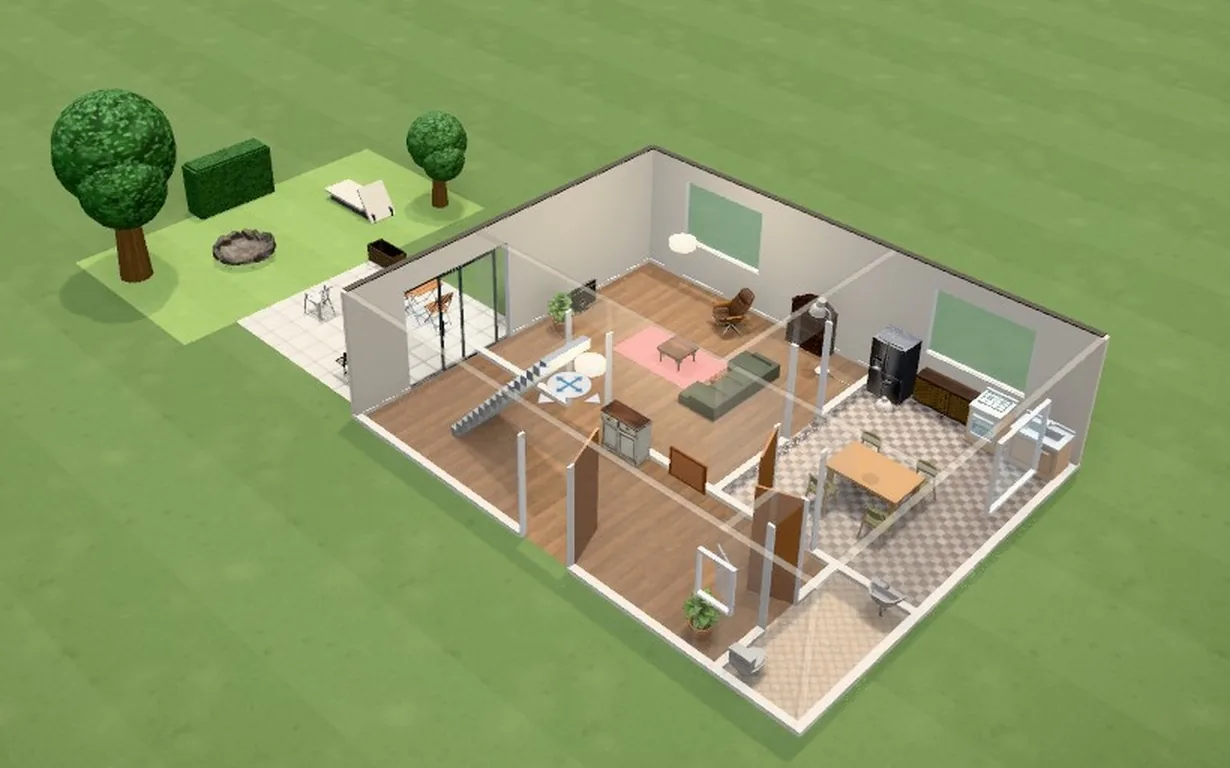
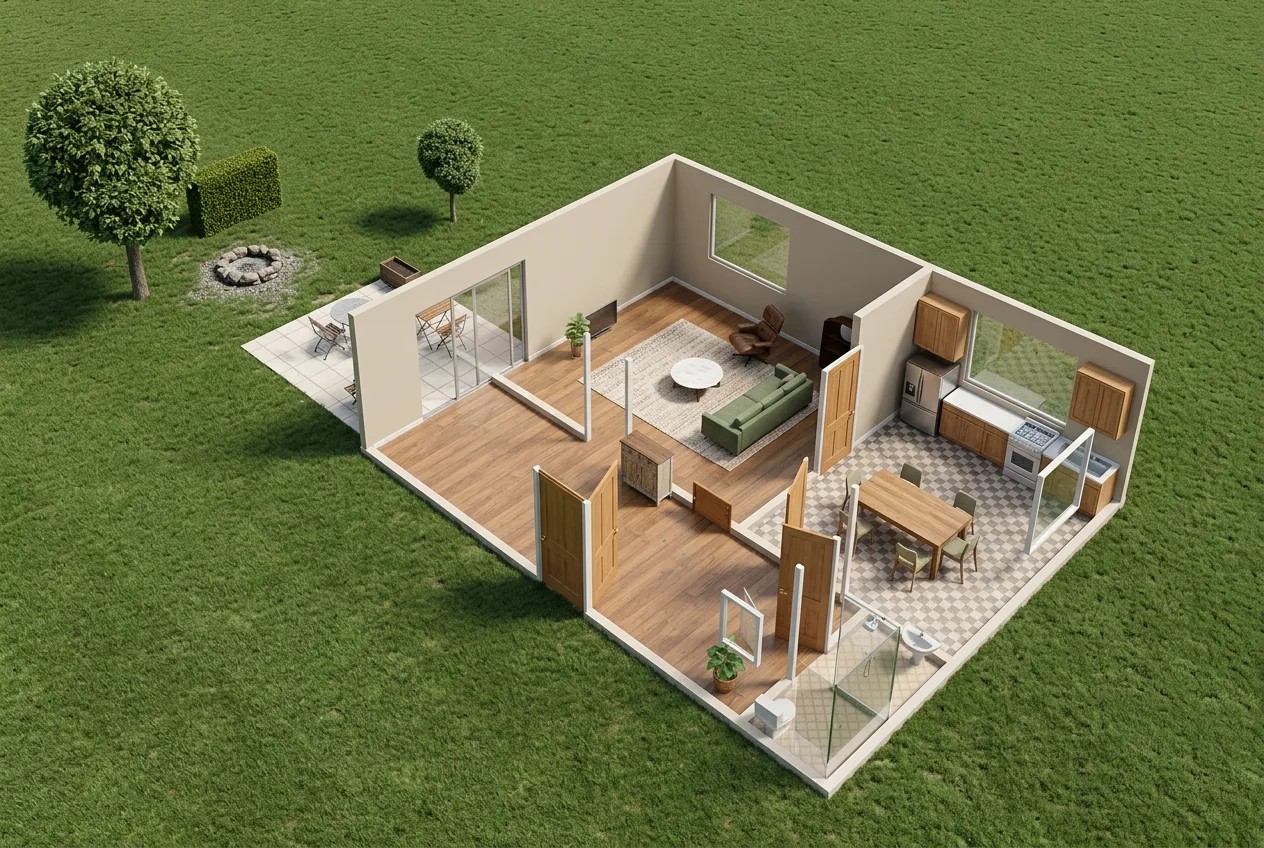
AI render: from 3D view to photo
Frame a view in 3D and send it for rendering. In about fifteen seconds you get a photo-like image that keeps your layout, with realistic materials, light and planting. The picture above is the render of the view on this side.
- Any signed-in account: can render, with or without the watermark
- Pro: renders are always watermark-free
- Privacy: only the preview image is sent, never your plan file or account details
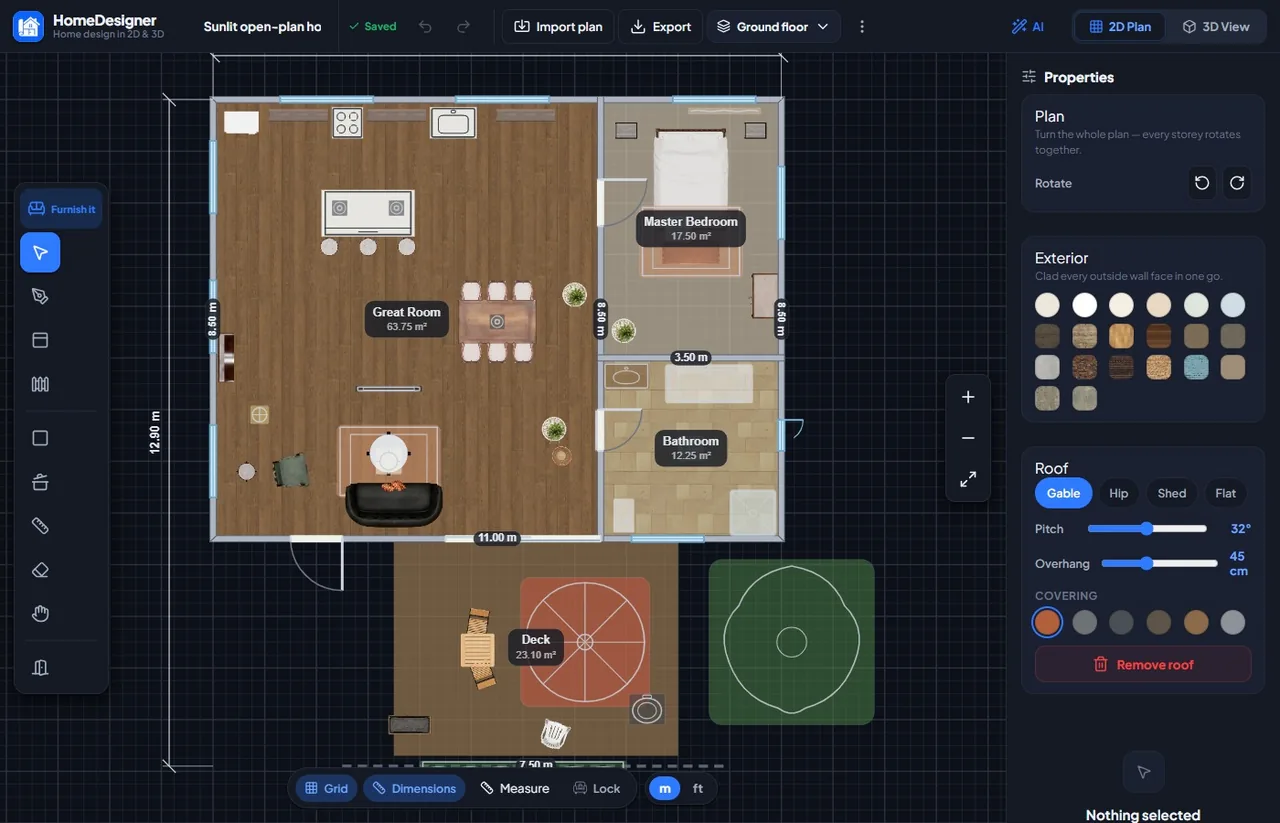
AI floor plan generator
Answer a few questions (storeys, bedrooms, bathrooms, size, garage) and add anything else in your own words. You get a furnished floor plan to edit like any other project, and you can ask for changes.
- Editable result: real walls, doors, windows and furniture
- Revise it: describe what to change and generate again
- Designer review: ask for written advice on your current layout
- Voice tour: a narrated walk through your home (Pro)
Four steps
Sign in
AI tools need a free account with a verified Google sign-in.
Describe your home
Fill in the short form and add your wishes in plain words.
Edit the plan
Move walls and furniture, or ask the AI to revise it.
Render it
Switch to 3D and turn the view into a photo-like picture.
Good to know
What do the AI tools cost?
They use points. New accounts get a one-time set of free points, enough to try an AI plan or a couple of renders, and more can be bought in the app. Everything else in HomeDesigner works without points.
Can I edit a plan the AI made?
Yes. The result is a normal HomeDesigner project. You can move walls, change rooms, swap furniture and view it in 3D.
How close is the AI render to my design?
It keeps the layout, walls and main furniture of your 3D view and adds realistic materials and lighting. It can add small decorative details, so treat it as an impression, not a technical drawing.
Where do my images go?
A render sends only the preview image to the rendering service. An AI plan sends your answers, and a designer review sends a picture of the plan. The privacy policy lists the services used.
Start designing for free
Get HomeDesigner on Google Play, or open the full web app in your browser. No sign-up needed to start.